Captain Ratatype
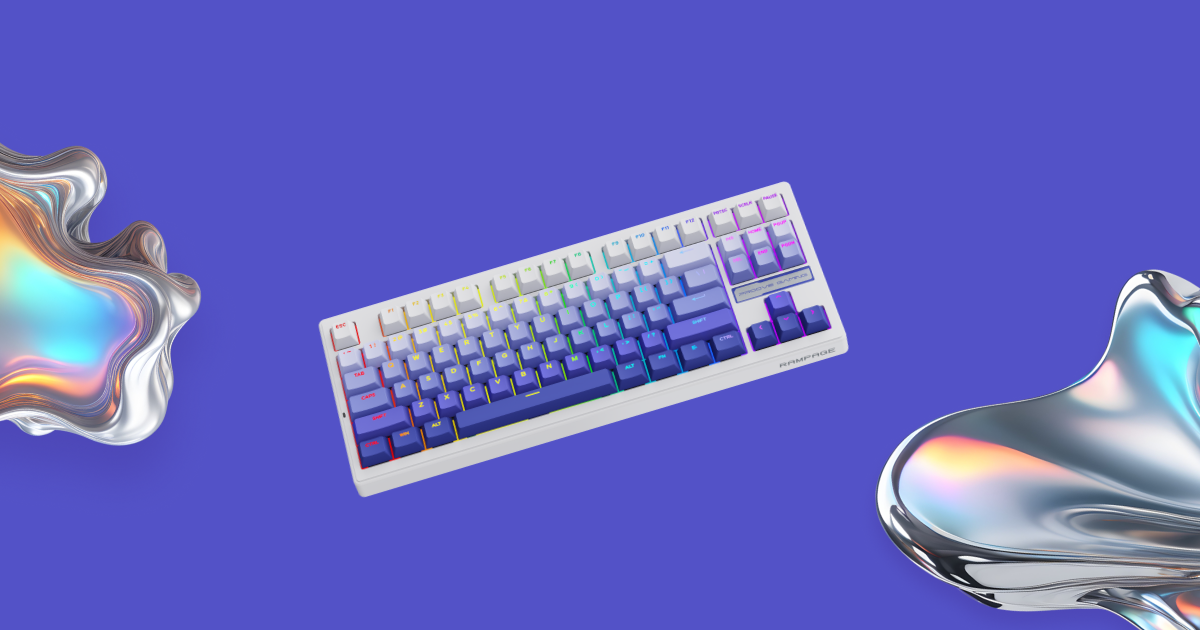
In this guide, we'll go over what to look for when choosing a gaming keyboard, and then review five popular models from different brands.
What to look for
Switches: magnetic or mechanical?
- Magnetic (Hall effect) — the key registers without physical contact, so it responds faster and wears out more slowly. You can adjust the actuation point, and Rapid Trigger gives an instant reset. The choice of esports players and fast-paced shooter fans.
- Mechanical — the classic, with a clear and satisfying feel. Linear switches press smoothly and quietly, so they work well both for gaming and for long typing sessions.
Another handy feature is hot-swap: you can replace switches without a soldering iron. If you want a different feel or a key stops working, a pair of tweezers is all you need.
Size: how many keys do you need?
- TKL (about 87 keys) — a full keyboard without the number pad. All the familiar keys are in place, and you get more room for your mouse.
- 75% (about 81–84 keys) — compact, but with a row of F-keys. The sweet spot for gaming and work.
- 60–65% (about 61–68 keys) — even smaller, without the F-row. Maximum room for wide mouse movements, which is exactly what you need in shooters.
Connection: wired or wireless?
- Wired keyboards never need charging and work reliably — important for competitive gaming.
- Tri-mode wireless (2.4 GHz, Bluetooth, and cable) — the most versatile: 2.4 GHz for gaming, Bluetooth for a laptop or tablet, and a cable for when the battery runs low.
Build and details
- Gasket mount — the plate with the switches is attached to the case through soft cushioning inserts. Keystrokes are quieter and softer, and your fingers get less tired.
- Doubleshot PBT keycaps — the legends never wear off, and the plastic doesn't get shiny over time.
- 1000 Hz polling rate — the keyboard reports to the computer a thousand times per second, so the delay is unnoticeable. Some esports models go up to 8000 Hz.
- N-Key Rollover — every key registers, even when you press many at once.

5 gaming keyboards worth a look
We'll start with magnetic models for esports, then move on to wireless mechanical keyboards for gaming and typing.
1. Wooting 60HE v2 — compact magnetic keyboard for esports
- Connection: wired, USB-C
- Size: 60%
- Switches: Lekker magnetic (Hall effect), hot-swap
- Keycaps: doubleshot PBT; case: ABS or aluminum
- Polling rate: 8000 Hz
- Actuation point: adjustable from 0.1 to 4 mm
- Colors: black, gray, white
Wooting is the brand that made magnetic keyboards popular among esports players. The 60HE v2 is a compact 60% board: there's no F-row or dedicated arrow keys, but there's plenty of room for your mouse. The actuation point can be set anywhere from 0.1 to 4 mm, and Rapid Trigger resets the key the moment you start lifting your finger.
Rapid Trigger, SOCD, Dynamic Keystroke, Mod Tap, and other features are configured in Wootility, which works right in your browser. And its 8000 Hz polling rate is the highest in this roundup.
Who it's for: players who value reaction speed and free desk space.
2. SteelSeries Apex Pro TKL Gen 3 — magnetic with an OLED display
- Connection: wired, detachable cable (a wireless version is also available)
- Size: TKL
- Switches: OmniPoint 3.0 magnetic (Hall effect)
- Keycaps: doubleshot PBT; top plate: aluminum
- Polling rate: 1000 Hz
- Actuation point: adjustable from 0.1 to 4 mm
- Extras: OLED display
A tenkeyless keyboard with magnetic switches and an aluminum top plate. Unlike compact models, it keeps the F-row and arrow keys, so it's comfortable for both gaming and everyday work. The small OLED display shows settings, system info, or your own GIFs.
Actuation, Rapid Trigger, and profiles are configured in SteelSeries GG. Keep in mind that the switches aren't hot-swappable.
Who it's for: those who play fast shooters but also do a lot of typing.
3. Keychron Q3 Max — wireless TKL for long typing sessions
- Connection: 2.4 GHz + Bluetooth 5.1 + USB-C
- Size: TKL (80%) with a knob
- Switches: mechanical Gateron Jupiter (Red, Brown, or Banana), hot-swap
- Build: gasket mount, CNC-machined aluminum case
- Keycaps: doubleshot PBT
- Polling rate: 1000 Hz (wired and 2.4 GHz)
- Battery: 4000 mAh — up to 100 hours with backlight, up to 180 hours without
- Compatibility: Windows, macOS, Linux
- Weight: about 1770 g
A heavy aluminum keyboard with a gasket mount: keystrokes are soft and quiet, and at 1.77 kg it won't budge on your desk. Keys can be remapped in the Keychron Launcher web app, and the knob is handy for volume control.
Three connection modes let you switch easily between your computer, laptop, and tablet.
Who it's for: those who type a lot and want one keyboard for both work and gaming.
4. ASUS ROG Azoth — compact 75% with an OLED screen
- Connection: 2.4 GHz + Bluetooth + USB
- Size: 75%, 81 keys
- Switches: mechanical ROG NX (Red, Brown, or Blue), hot-swap
- Build: gasket mount, three layers of dampening foam, aluminum-alloy top case
- Keycaps: doubleshot PBT
- Polling rate: 1000 Hz
- Battery: up to 2000 hours over 2.4 GHz with RGB and the display off
- Compatibility: Windows, macOS
- Weight: about 1186 g
A compact keyboard that keeps the F-row. Its signature feature is a 2-inch OLED display with a three-way control knob in the corner: use it to adjust the volume, switch lighting modes, or check the battery level without leaving the game.
A gasket mount and three layers of foam make keystrokes soft and quiet, and hot-swap lets you try different switches.
Who it's for: those who want a compact wireless keyboard with an F-row and handy controls.
5. NuPhy Halo75 V2 — the highlight of your setup
- Connection: 2.4 GHz + Bluetooth 5.0 + USB-C
- Size: 75%, 83 keys
- Switches: mechanical NuPhy (Mint, Raspberry, Lemon) or Cherry Silent Red, hot-swap
- Build: gasket mount, aluminum top case, translucent bottom case
- Keycaps: doubleshot PBT, mSA profile
- Polling rate: 1000 Hz (wired and 2.4 GHz)
- Battery: 4000 mAh — up to 307 hours with the lighting off
- Compatibility: Windows, macOS, Linux, iOS, Android
- Weight: about 1020 g
A keyboard that instantly becomes the centerpiece of your setup. The translucent bottom case and "halo" lighting make the whole keyboard glow, and bright accent keys add character.
But it's not just about looks: the gasket mount and smooth switches give a soft, pleasant feel, so it's just as comfortable for typing as it is for gaming. The compact 75% layout keeps the F-row, and keys can be remapped via VIA.
Who it's for: those who want a stylish setup and a comfortable keyboard for both typing and gaming.
All models have doubleshot PBT keycaps and a polling rate of at least 1000 Hz.
How to choose yours
- You need maximum speed and room for your mouse — Wooting 60HE v2.
- You want magnetic switches plus the F-row and arrow keys — SteelSeries Apex Pro TKL Gen 3.
- You type a lot and want a solid, quiet keyboard — Keychron Q3 Max.
- You need a compact wireless keyboard with an F-row — ASUS ROG Azoth.
- You want your keyboard to be the highlight of your setup — NuPhy Halo75 V2.
The right keyboard is the one that fits your needs: sometimes milliseconds matter, and sometimes it's comfort after hours of typing.
And to get the most out of your new keyboard, learn touch typing with Ratatype!