Captain Ratatype
What's changed
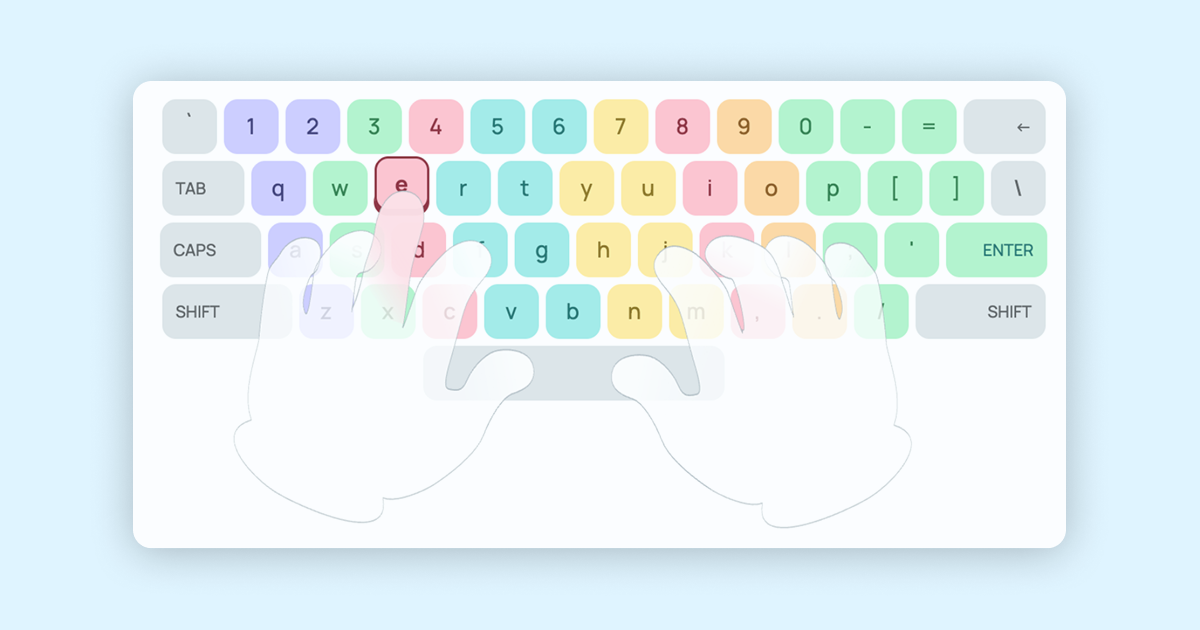
Previously, the virtual keyboard on the typing tutor also featured hands — but they were static. Now everything is different: the hands have become dynamic. The fingers bend, lift, and move to the exact key that needs to be pressed at that moment — in sync with the letters you're typing blindly.
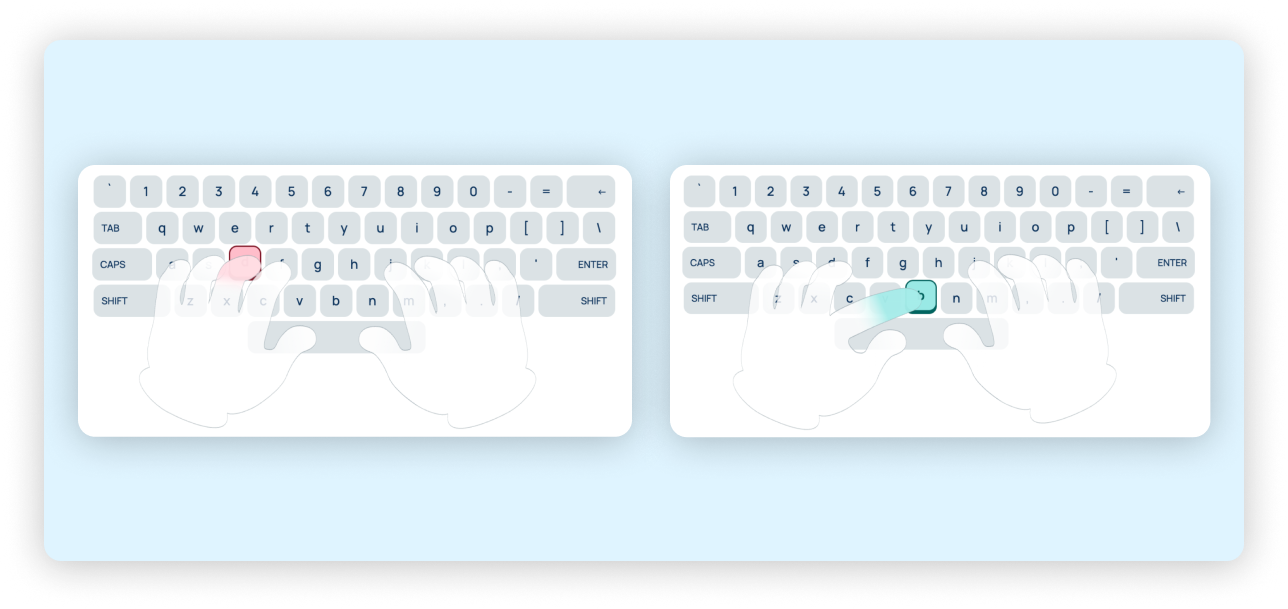
So if the next letter is «Y», you'll see the pinky finger of the left hand lift from its home position and land right on the correct key. Next letter — the hand is already preparing for the next move. It all happens in real time, with no delays.

Why this matters
The touch-typing method is built on the idea that each finger knows its own zone of responsibility on the keyboard. But until muscle memory is formed, it's easy to forget which finger should press which key. Previously, you had to check a finger-placement chart separately from the typing process itself. Now the hint is right in front of your eyes.
This is especially useful for those who are just starting to learn fast typing from scratch: animated hands visually reinforce the correct text-entry technique from the very first lessons and prevent you from accidentally picking up a bad habit.
Already live on the site!
The update doesn't require any extra steps — animated hands are already available to everyone taking the free typing lessons on the Ratatype keyboard trainer. Just open any lesson in the keyboard trainer and start typing: the virtual hands will automatically adjust to your pace and show the correct finger movement for every keystroke.
This feature will be useful not only for beginners, but also for those who want to increase their typing speed, improve typing accuracy, and practice proper hand positioning on the keyboard.
What's next
The Ratatype team continues working to make learning fast typing as clear and convenient as possible. This update to the online keyboard trainer is another step toward personalized, interactive typing lessons, where every detail of the interface works toward your results.
So, ready to start learning?